
This article explains how to use a YubiKey as a second factor verification with Okta. To use Okta verify instead, please see this article. Contact support@unitehere.org for further questions or concerns.
Using a YubiKey
Step 1: Plug the YubiKey into a USB Port on your computer, the Y should light up yellow.
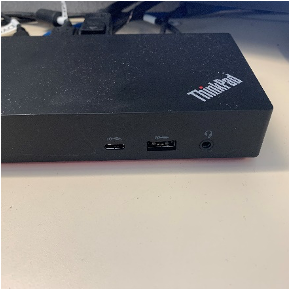
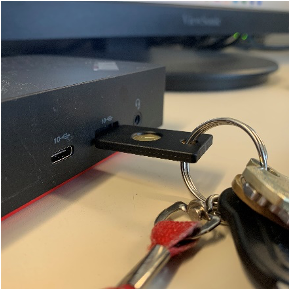
Step 2: Navigate to login.unitehere.org (Okta login site). There will be an additional security window that asks for a code. Put the cursor in the text box by clicking in the code box.
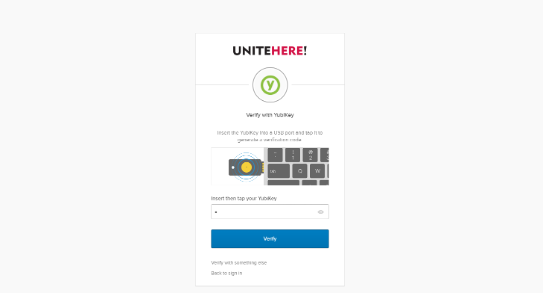
Step 3: Press the brass button in the center of the YubiKey, the light will briefly light up a bright yellow. This will cause the key to enter a one-time passcode into the text box which verifies that you are approved to access login.unitehere.org for the next several hours.
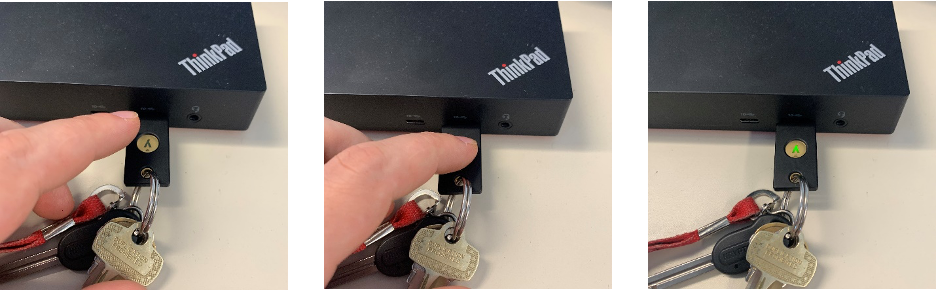
Now that the computer is logged into Okta, there is no need to keep the YubiKey in the USB port. SePuede and all other apps can be accessed through Okta as normal.