This user guide will explain how to access and use the hotspot on an iPhone. If users are unable to access their hotspot or need additional assistance, please email support@unitehere.org.
TABLE OF CONTENTS
Accessing the Hotspot
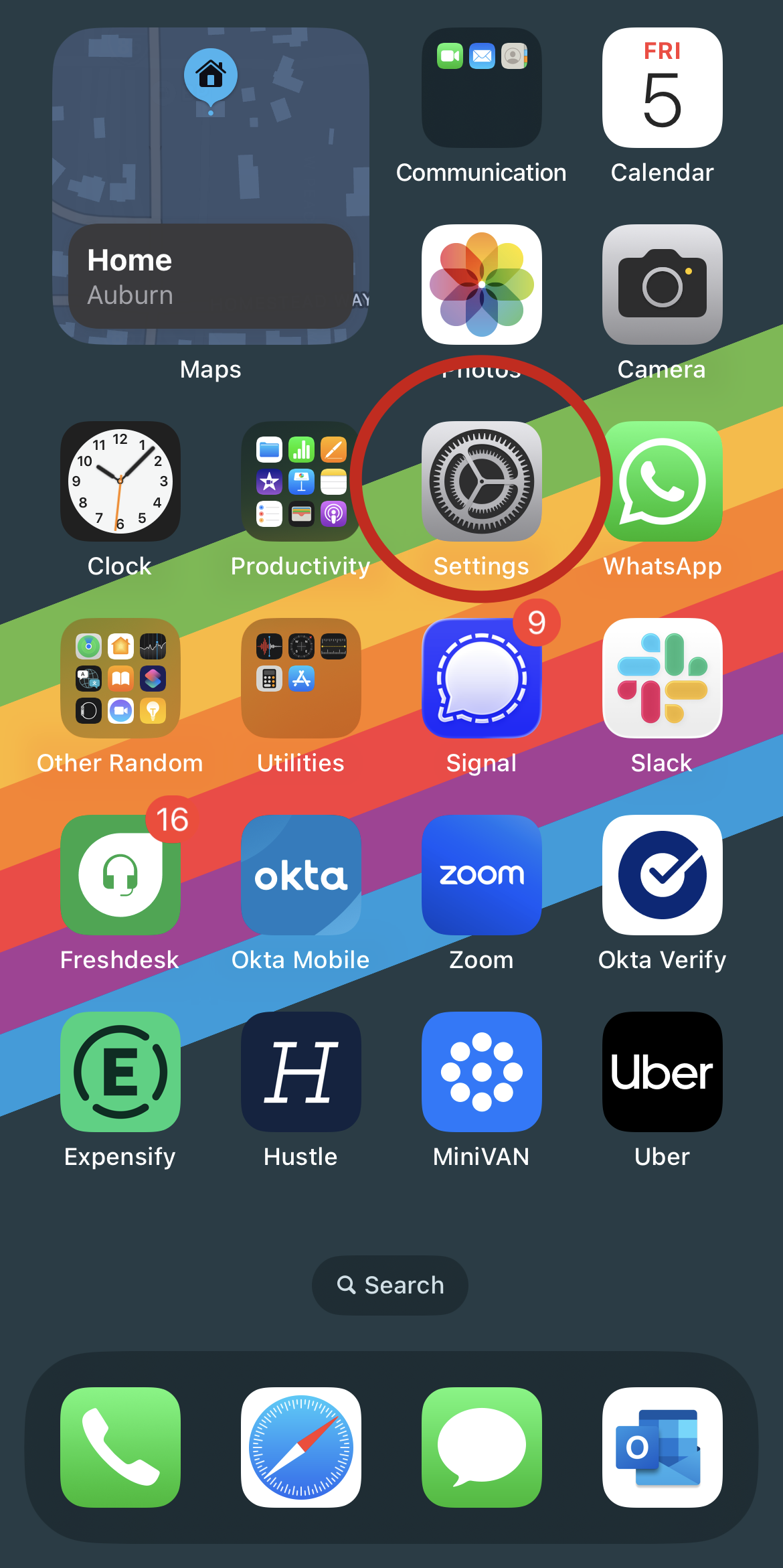
Step 1: Navigate to the Settings application on the phone.
- Tap the settings icon to access the app.
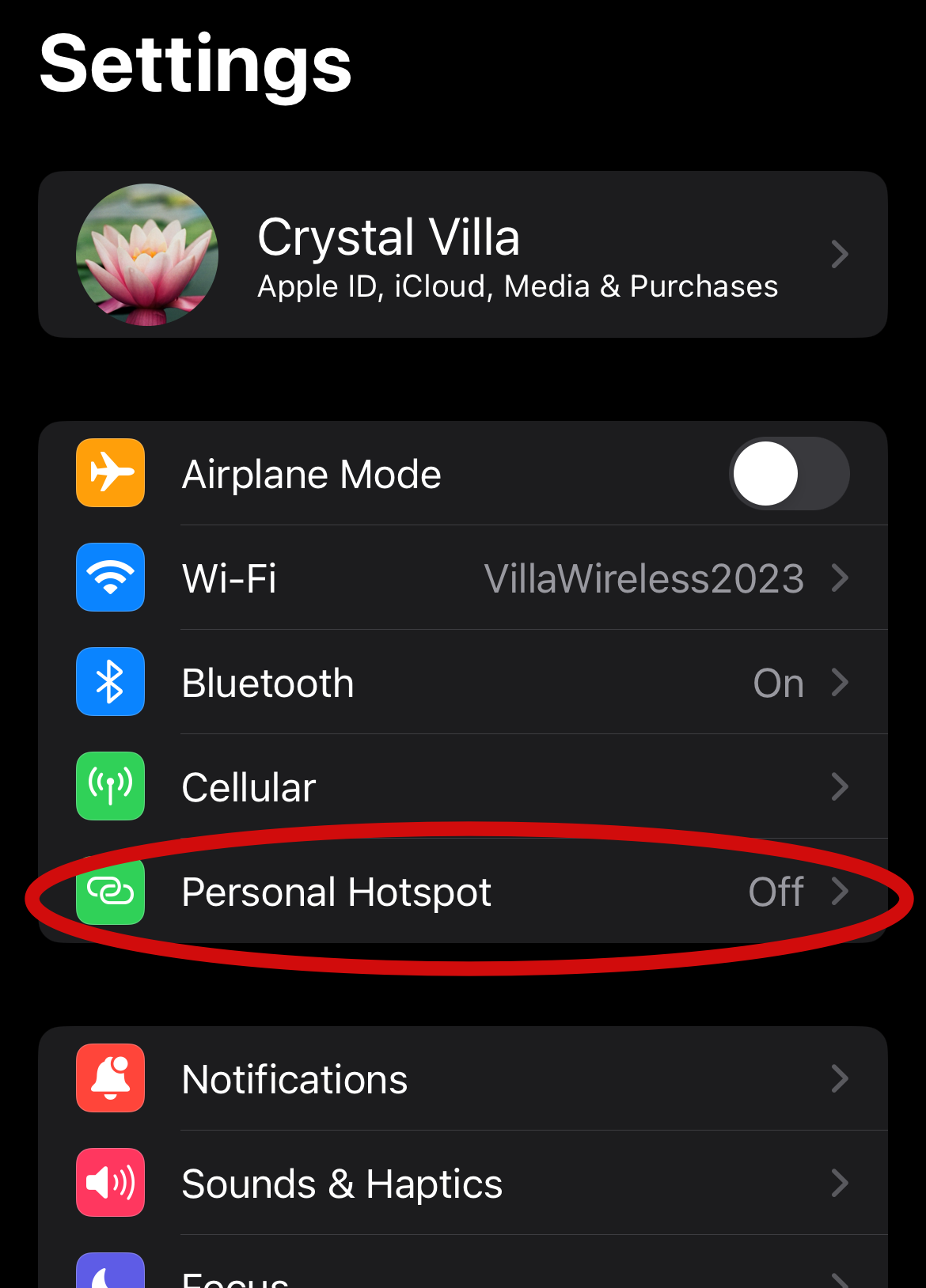
Step 2: Click on the Personal Hotspot option.
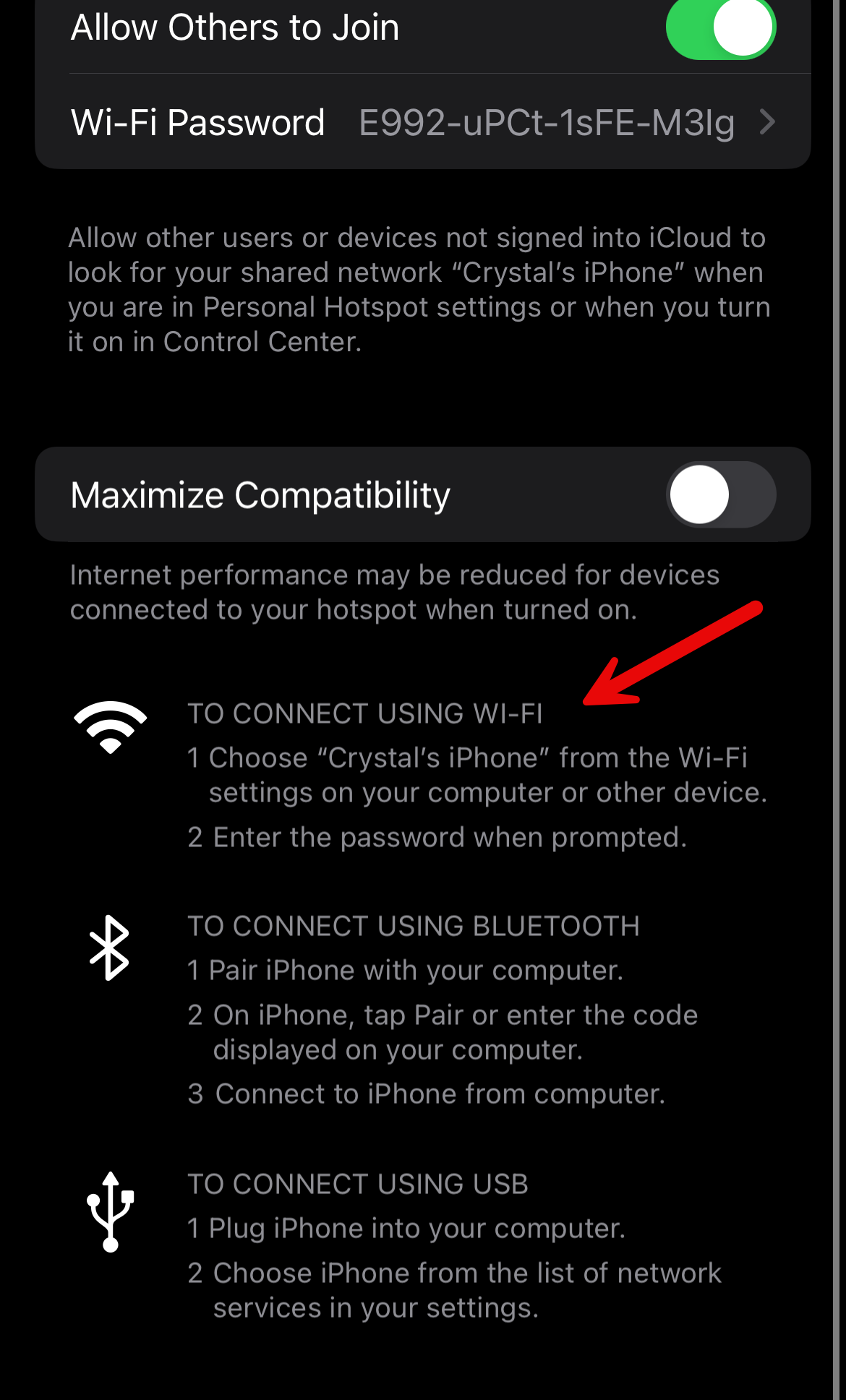
Step 3: Toggle the hotspot on by clicking the toggle button next to "Allow others to join". This will allow users to use any other devices that are signed into the same iCloud account to join the wifi.
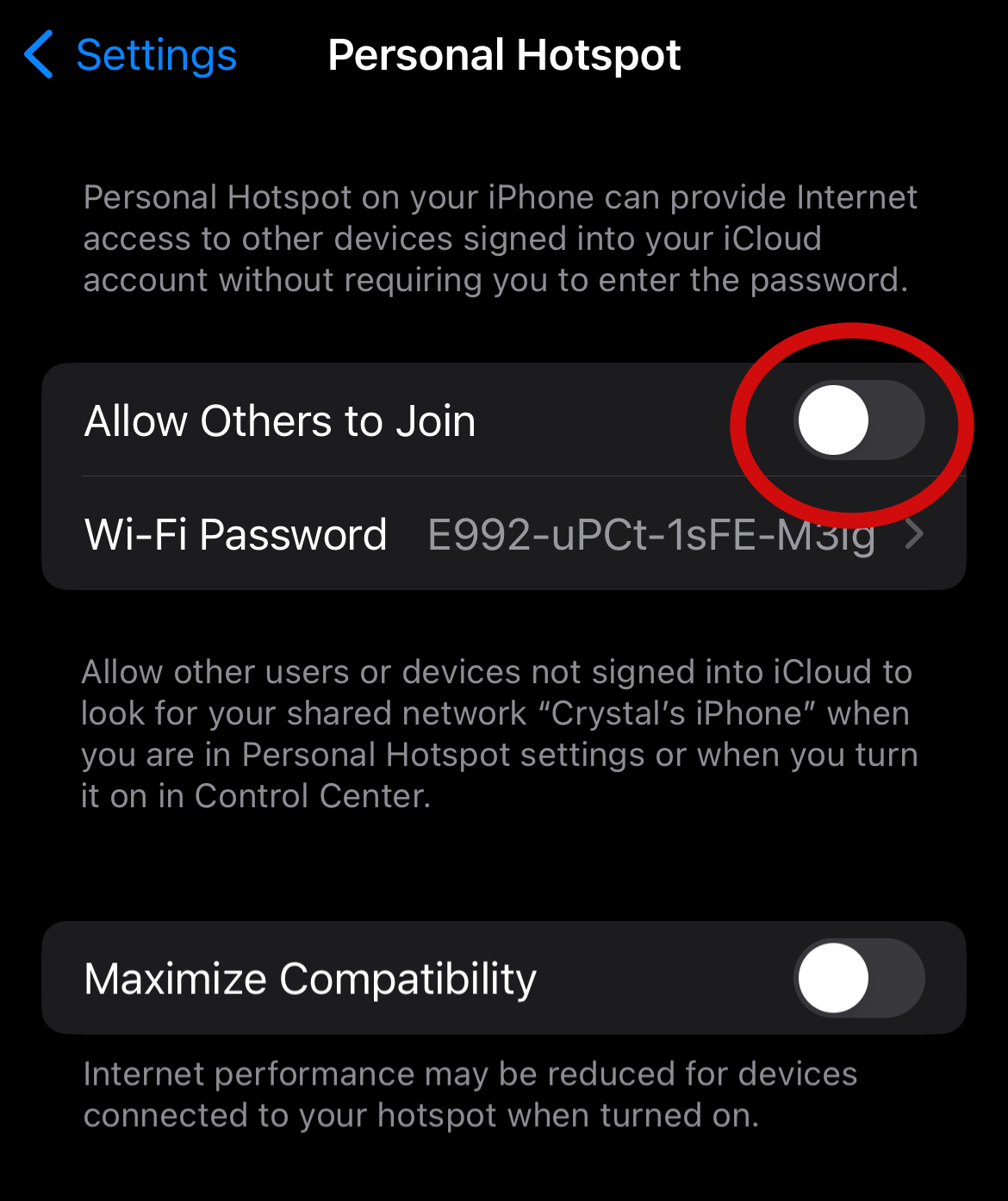
Step 4: Follow the instructions at the bottom to connect to the wifi on any other devices.
When the hotspot is no longer needed, use the same steps for accessing the hotspot to toggle it off. This will help preserve the battery of the phone, conserve data, and keep the hotspot/computer secure.
Joining the Hotspot
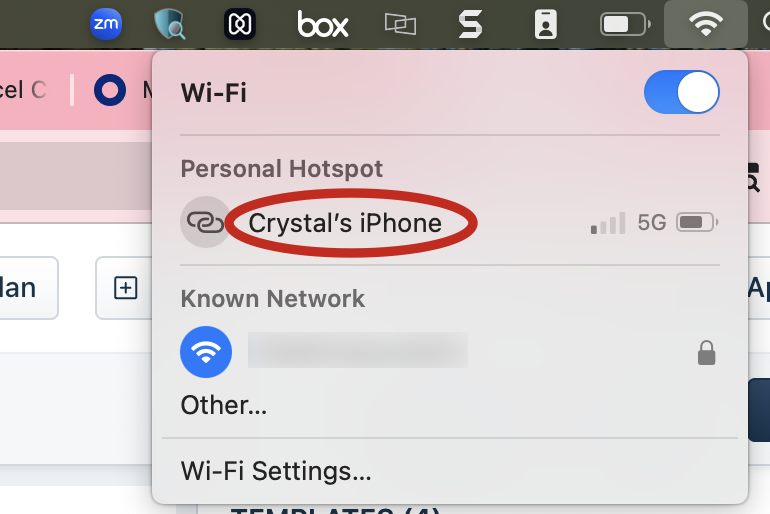
Step 1: Navigate to the computers WiFi options. Then click on the iPhone listed.